For those of you wondering if this fits your use case vs the RTX 5090 the short answer is this:
The desktop RTX 5090 has 1792 GB/s of memory bandwidth partially due to the 512 bit bus width, compared to the DGX Spark with a 256 bit bus and 273 GB/s memory bandwidth.
The RTX 5090 has 32G of VRAM vs the 128G of “VRAM” in the DGX Spark which is really unified memory.
Also the RTX 5090 has 21760 cuda cores vs 6144 in the DGX Spark. (3.5 x as many). And with the much higher bandwidth in the 5090 you have a better shot at keeping them fed. So for embarrassingly parallel workloads the 5090 crushes the Spark.
So if you need to fit big models into VRAM and don’t care about speed too much because you are for example, building something on your desktop that’ll run on data center hardware in production, the DGX Spark is your answer.
If you need speed and 32G of VRAM is plenty, and you don’t care about modeling network interconnections in production, then the RTX 5090 is what you want.
> building something on your desktop that’ll run on data center hardware in production, the DGX Spark is your answer
It isn't, because it's a different architecture than the datacenter hardware. They're both called "Blackwell", but that's a lie[1] and you still need "real" datacenter Blackwell card for development work. (For example, you can't configure/tune vLLM on Spark, and then move it into a B200 and even expect it to work, etc.)
sm_120 (aka 1CTA) supports tensor cores and TMEM just fine: example 83 shows block-scaled NVFP4 (I've gotten 1850 ish dense TFLOPs at 600W, the 300W part caps out more like 1150). sage3 (which is no way in hell from China, myelin knows it by heart) cracks a petaflop in bidirectional noncausal.
The nvfuser code doesn't even call it sm_100 vs. sm_120: NVIDIA's internal nomenclature seems to be 2CTA/1CTA, it's a bin. So there are less MMA tilings in the released ISA as of 13.1 / r85 44.
The mnemonic tcgen05.mma doesn't mean anything, it's lowered onto real SASS. FWIW the people I know doing their own drivers say the whole ISA is there, but it doesn't matter.
Wait, so are you telling me all of the hardware/ISA is actually fully accessible and functional, and it's just an artificial PTX -> SASS compiler limitation?
Because the official NVidia stance is definitely that TMEM, etc. is not supported and doesn't work.
...I don't suppose you have a link to a repo with code that can trigger any of this officially forbidden functionality?
Very interesting! Thanks! I'll definitely keep a close eye on that repo.
Anyhow, be that as it may, I was talking about the PTX mnemonics and such because I'd like to use this functionality from my own, custom kernels, and not necessarily only indirectly by triggering whatever lies at the bottom of NVidia's abstraction stack.
So what's your endgame with your proofs? You wrote "the breaking point was implementing an NVFP4 matmul" - so do you actually intend to implement an NVFP4 matmul? (: If so I'd be very much interested; personally I'm definitely still in the "cargo-cults from CUTLASS examples" camp, but would love something more principled.
It's also worth nothing that the 128GB of "VRAM" in the GB10 is even less straightforward than just being aware that the memory is shared with the CPU cores. There's a lot of details in memory performance that differ across both the different core types, and the two core clusters:
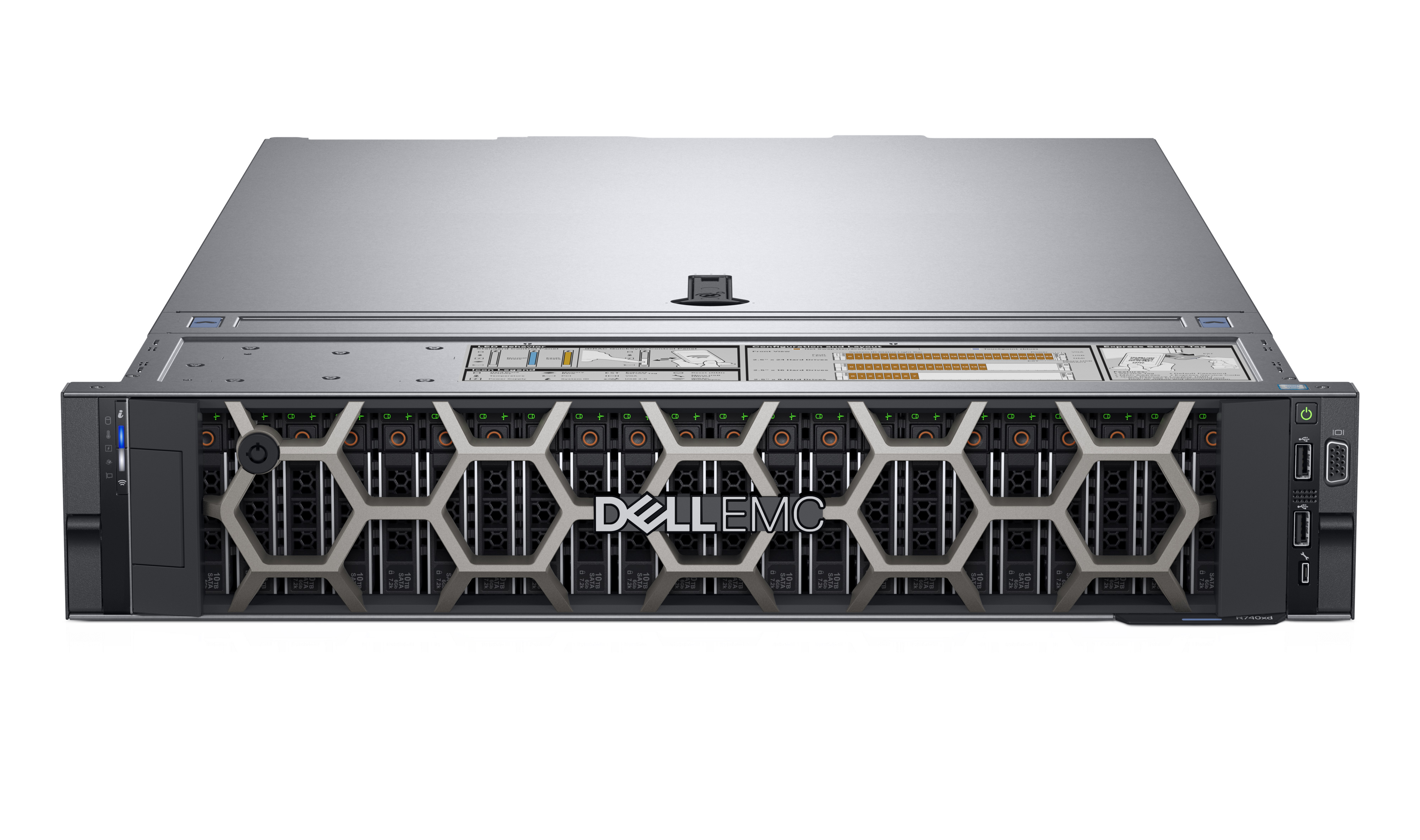
I've got the Dell version of the DGX Spark as well, and was very impressed with the build quality overall. Like Jeff Geerling noted, the fans are super quiet. And since I don't keep it powered on continuously and mainly connect to it remotely, the LED is a nice quick check for power.
You can get two Strix Halo PCs with similar specs for that $4000 price.
I just hope that prompt preprocessing speeds will continue to improve, because Strix Halo is still quite slow in that regard.
Then there is the networking. While Strix Halo systems come with two USB4 40Gbit/s ports, it's difficult to
a) connect more than 3 machines with two ports each
b) get more than 23GBit/s or so per connection, if you're lucky. Latency will also be in the 0.2ms range, which leaves room for improvement.
Something like Apple's RDMA via Thunderbolt would be great to have on Strix Halo…
As you allude, the prompt processing speeds are a killer improvement of the Spark which even 2 Strix Halo boxes would not match.
Prompt processing is literally 3x to 4x higher on GPT-OSS-120B once you are a little bit into your context window, and it is similarly much faster for image generation or any other AI task.
Plus the Nvidia ecosystem, as others have mentioned.
If all you care about is token generation with a tiny context window, then they are very close, but that’s basically the only time. I studied this problem extensively before deciding what to buy, and I wish Strix Halo had been the better option.
Prompt processing could be sped up with NPU inference. The Strix Halo NPU is a bit weird (XDNA 2, so the architecture is spatial dataflow and programmable interconnects), but it's there. See https://github.com/FastFlowLM/FastFlowLM (which is directly supported by https://lemonade-server.ai/https://github.com/lemonade-sdk/lemonade ) for one existing project that's planning to support the NPU for the prompt processing phase. (Do note that FLM are providing proprietary NPU kernels under a non-free license, so make sure that this fits your needs before use.)
Could I get your thoughts on the Asus GX10 vs. spending on GPU compute? It seems like one could get a lot of total VRAM with better memory bandwidth and make PCIe the bottleneck. Especially if you already have a motherboard with spare slots.
I'm trying to better understand the trade offs, or if it depends on the workload.
It depends entirely on what you want to do, and how much you're willing to deal with a hardware setup that requires a lot of configuration. Buying several 3090s can be powerful. Buying one or two 5090s can be awesome, from what I've heard.
Run a model at all, run a model fast, run a model cheap. Pick 2.
With LLM workloads, you can run some of the larger local models (at all) and you can run them cheap on the unified 128G RAM machines (Strix Halo/Spark) - for example, gpt-oss-120b. At 4bit quantization given it's an MoE that's natively trained at NVFP4, it'll be pretty quick. Some of the other MoEs with highly compressed active parameter models will also be quick as well. But things will get sluggish as the active parameters increase. The best way to run these models is with a multi-GPU rig so you get speed and VRAM density at once, but that's expensive.
With other workloads such as image/video generation, the unified vram doesn't help as much and the operations themselves intrinsically run better on the beefier GPU cores, in part because many of the models are relatively small compared to LLM (6B-20B active parameters) but generating from those parameters is definitely GPU compute intensive. So you get infinitely more from a 3090 (maybe even a slightly lesser card) than you do from a unified memory rig.
If you're running a mixture of LLM and image/video generation workloads, there is no easy answer. Some folks on a budget opt for a unified memory machine with an eGPU to get the best of both worlds, but I hear drivers are an issue. Some folks use the Mac studios which while quite fast force you to be inside the Metal ecosystem rather than CUDA and aren't as pleasant for dev or user ecosystem. Some folks build a multi CPU server rig with a ton of vanilla RAM (used to be popular for folks who wanted to run DeepSeek before RAM prices spiked). Some folks buy older servers with VRAM dense but dated cards (thing Pascal, Volta, etc, or AMD MI50/100). There's no free lunch with any of these options, honestly.
If you don't have a very clear sense of something you can buy that you won't regret, it's hard to go wrong using any of the cloud GPU hyperscalers (Runpod, Modal, Northflank, etc) or something like Fal or Replicate where you can try out the open source models and pay per request. Sure, you'll spend a bit more on unit costs, but it'll force you to figure out if you have your workloads figured out enough to where the pain of having it in the cloud stings enough to where you want to buy and own the metal -- if the answer is no, even if you could afford it, you'll often be most happiest just using the right cloud service!
Ask me how I figured out all of the above the hard way...
Then again, I have a RTX 5090 + 96GB DDR5-6000 that crushes the spark on prompt processing of gpt-oss-120b (something like 2-3x faster), while token generation is pretty close. The cost I paid was ~$3200 for the entire computer. With the currently inflated RAM prices, it would probably be closer to the dell.
So while I think the Strix Halo is a mostly useless machine for any kind of AI, and I think the spark is actually useful, I don't think pure inference is a good use case for them.
It probably only makes sense as a dev kit for larger cloud hardware.
The primary advantage of the DGX box is that it gives you access to the nVidia ecosystem. You can develop against it almost like a mini version of the big servers you're targeting.
It's not really intended to be a great value box for running LLMs at home. Jeff Geerling talks about this in the article.
Exactly this. I'm not sure why people keep drumming the "a Mac or Strix Halo is faster/cheaper" drum. Different market.
If I want to do hobby / amateur AI research or do stuff with fine tuning models etc, learn the tooling. I'm better off with the DG10 than AMD or Apple's systems.
The Strix Halo machines look nice. I'd like one of those too. Especially if/when they ever get around to getting it into a compelling laptop.
But I ordered the ASUS Ascent DG10 machine (since it was more easily available for me than the other versions of these) because I want to play around with fine tuning open weight models, learning tooling, etc.
That and I like the idea of having a (non-Apple) Aarch64 linux workstation at home.
Now if the courier would just get their shit together and actually deliver the thing...
I have this device, it's exactly as you say. This is a device for AI research and development. My buddies mac ultra beats it squarely for inference workloads, but for real tinkering it can't be beat.
I've used it to fine tune 20+ models in the last couple of weeks. Neither a Mac or Strix Halo even try to compete.
I got ASUS ROG Flow Z13 128G with Ryzen AI 395, and I am able to train nanoGPT with little effort. On Windows (haven't tried Linux), where ROCm was just released recently.
I had my finger over the buy button for various Strix Halo machines for weeks.
I ended up going with the Asus GB10 because if the goal is to "learn me some AI tooling" I didn't want to have to add "learn me some only recently and shallowly supported-in-linux AMD tooling" to the mix.
I hate NVIDIA -- the company -- but in this case it comes down to pure self-interest in that I want to add some of this stuff to my employable skill set, and NVIDIA ships the machine with all the pieces I need right in the OS distribution.
Plus I have a bias for ARM over x86.
Long run I'm sure I'll end up with a Strix Halo type machine in my collection at some point.
But I also expect those machines to not drop in price, and perhaps even go up, as right now the 128GB of RAM in them is worth the price of the whole machine.
NVFP4 (and to a lesser extent, MXFP8) work, in general. In terms of usable FLOPS the DGX Spark and the GMTek EVO-X2 both lose to the 5090, with NCCL and OpenMPI set up the DGX is still the nicest way to dev for our SBSA future. Working on that too, harder problem.
I know it's just a quick test, but llama 3.1 is getting a bit old. I would have liked to see a newer model that can fit, such as gpt-oss-120, (gpt-oss-120b-mxfp4.gguf), which is about 60gb of weights (1).
Specdec works well for code, so the prompt I used was "Write a React TypeScript demo".
    prompt eval time = 313.70 ms / 40 tokens (7.84 ms per token, 127.51 tokens per second)
    eval time = 46278.35 ms / 913 tokens (50.69 ms per token, 19.73 tokens per second)
    total time = 46592.05 ms / 953 tokens
    draft acceptance rate = 0.87616 (757 accepted / 864 generated)
The draft model cannot affect the quality of the output. A good draft model makes token generation faster, and a bad one would slow things down, but the quality will be the same as the main model either way.
Correct, most of r/LocalLlama moved onto next gen MoE models mostly. Deepseek introduced few good optimizations that every new model seems to use now too. Llama 4 was generally seen as a fiasco and Meta haven't made a release since
Llama 4 isn't that bad, but it was overhyped, and people in generally "hold it wrong".
I recently needed an LLM to batch process me some queries. I ran an ablation on 20+ models from Open Router to find the best one. Guess which ones got 100% accuracy? GPT-5-mini, Grok-4.1-fast and... Llama4 Scout. For comparison, DeepSeek v3.2 got 90%, and the community darling GLM-4.5-Air got 50%. Even the newest GLM-4.7 only got 70%.
Of course, this is just an anecdotal single datapoint which doesn't mean anything, but it shows that Llama 4 is probably underrated.
Oh, this is very interesting. Will have to test it out on coding too.
Very good point about testing. Had I only followed benchmarks, I'd miss few gems completely (long context models and 4b vision models that are unbelievably capable for their size).
I'd encourage anyone to test the models on actual problems you're working on.
GLM 4.7 is new and promising. MinMax 2.1 is good for agents. Of course the qwen3 family, vl versions are spectacular. NVIDIA Nemotron Nano 3 excels at long context and the unsloth variant has been extended to 1m tokens.
I thought the last one was a toy, until I tried with a full 1.2 megabyte repomix project dump. It actually works quite well for general code comprehension across the whole codebase, CI scripts included.
Gpt-oss-120 is good too, altough I'm yet to try it out for coding specifically
Since I'm just a pleb with a 5090, I run GPT-OSS 20B a lot, since it fits comfortably in VRAM with max context size. I find it quite decent for a lot of things, especially after I set reasoning effort to high and disabled top-k and top-p and set min-p to something like 0.05.
For the Qwen3-VL, I recently read that someone got significantly better results by using F16 or even F32 versions of the vision model part, while using a Q4 or similar for the text model part. In llama.cpp you can specify these separately[1]. Since the vision model part is usually quite small in comparison, this isn't as rough as it sounds. Haven't had a chance to test that yet though.
IMHO DGX Spark at $4,000 is a bad deal with only 273 GB/s bandwidth and the compute capacity between a 5070 and a 5070 TI. And with PCIe 5.0 at 64 GB/s it's not such a big difference.
And the 2x 200 GBit/s QSFP... why would you stack a bunch of these? Does anybody actually use them in day-to-day work/research?
I think the selling point is the 128GB of unified system memory. With that you can run some interesting models. The 5090 maxes out at 32GB. And they cost about $3000 and more at the moment.
1. /r/localllama unanimously doesn't like the Spark for running models
2. and for CUDA dev it's not worth the crazy price when you can dev on a cheap RTX and then rent a GH or GB server for a couple of days if you need to adjust compatibility and scaling.
It isn't for "running models." Inference workloads like that are faster on a mac studio, if that's the goal. Apple has faster memory.
These devices are for AI R&D. If you need to build models or fine tune them locally they're great.
That said, I run GPT-OSS 120B on mine and it's 'fine'. I spend some time waiting on it, but the fact that I can run such a large model locally at a "reasonable" speed is still kind of impressive to me.
It's REALLY fast for diffusion as well. If you're into image/video generation it's kind of awesome. All that compute really shines when for workloads that aren't memory speed bound.
With a 5070 Ti performance that's a weird choice for R&D as well. You won't be able to train models that require anywhere near 100GB VRAM due to slow processing, and 5070 Ti is under $1k
Yeah, that's mostly fair, but it kind of misses the point. This is a professional tool for AI R&D. Not something that strives to be the cheapest possible option for the homelab. It's fine to use them in the lab, but that's not who they built it for.
If I wanted to I could go on ebay, buy a bunch of parts, build my own system, install my own OS, compile a bunch of junk, tinker with config files for days, and then fire up an extra generator to cope with the 2-4x higher power requirements. For all that work I might save a couple of grand and will be able to actually do less with it. Or... I could just buy a GB10 device and turn it on.
It comes preconfigured to run headless and use the NVIDIA ecosystem. Mine has literally never had a monitor attached to it. NVIDIA has guides and playbooks, preconfigured docker containers, and documentation to get me up and developing in minutes to hours instead of days or weeks. If it breaks I just factory reset it. On top of that it has the added benefit of 200Gbe QSFP networking that would cost $1,500 on it's own. If I decide I need more oomph and want a cluster I just buy another one and connect them, then copy/paste the instructions from NVIDIA.
Not really, not it isn't, because it's deliberately gimped and doesn't support the same feature-set as the datacenter GPUs[1]. So as a professional development box to e.g. write CUDA kernels before you burn valuable B200 time it's completely useless. You're much better off getting an RTX 6000 or two, which is also gimped, but at least is much faster.
Fair enough if that's your use case. I have to be honest with you though, I've never written cuda code in my life and wouldn't know sm_121 from LMNOPO. :)
It does seem really shady that they'd claim it to be 5th gen tensor cores and then not support the full feature set. I searched through the spark forums, and as that poster said nobody is answering the question.
But how much is MY time worth? Every hour I spend fixing some goof up Jimmy in I.T. made or Googling obscure incompatibilities is another hour I could have been productive.
I guarantee you the $5 a month option is easier than what you're setting up on a DGX Spark. Which should make sense, because you can buy server hardware for cheaper in the long run.
Grace-Hopper and Grace-Blackwell. "Grace" is the integrated CPU+GPU architecture. DGX Spark is GB10 and it's allegedly like a small version of the server GB200.
Absent disassembly and direct comparison between a DGX Spark and a Dell GB10, I don't think there's sufficient evidence to say what is meaningfully different between these devices (beyond the obvious of the power LED). Anything over 240W is beyond the USB-C EPR spec, and while Dell does have a question ably-compliant USB-C 280W supply, you'd have to compare actual power consumption to see if the Dell supply is actually providing more power. I suspect any other minor differences in experience/performance are more explainable as the consequences on increasing maturity of the DGX software stack than anything unique to the Dell version; particularly any comparisons to very early DGX Spark behavior need to keep in mind that the software and firmware have seen a number of updates.
Comparing notes with Wendell from Level1Techs, the ASUS and Dell GB10 boxes were both able to sustain better performance due to their better thermal management. That's a fairly significant improvement. The Spark's crusted gold facade seems more form over function.
nothing beats perfectly good vendor firmware updates packaged in an obscenely complicated bash file that just extracts the tool and runs it while performing unnecessary and often broken validation that only runs on hardware that is part of their ecosystem (ex: dell nic on non dell chassis).
tends to be hit or miss when you use dell parts on non dell hardware (but the cost savings are worth it since typically nobody wants to touch dell hardware due to these issues)
A nice little AI review with comparison of the CPU/Power Draw & Networking would be interested in seeing a fine-tuning comparison too. I think pricing was missing also.
I have a slightly cheaper similar box, NVIDIA Thor Dev Kit. The point is exactly to avoid deploying code to servers that cost half a million dollars each. It's quite capable in running or training smart LLMs like Qwen3-Next-80B-A3B-Instruct-NVFP4. So long as you don't tear your hair out first figuring out pecularities and fighting with bleeding edge nightly vLLM builds.
There's an entire line of Linux-supported Jetson products available for your perusal, in addition to all of the GTX and RTX cards that have native ARM64 support.
The memory bandwidth limitation is baked into the GB10, and every vendor is going to be very similar there.
I'm really curious to see how things shift when the M5 Ultra with "tensor" matmul functionality in the GPU cores rolls out. This should be a multiples speed up of that platform.
My guess is M5 Ultra will be like DGX Spark for token prefill and M3 Ultra for token generation, i.e. the best of both worlds, at FP4. Right now you can combine Spark with M3U, the former streaming the compute, lowering TTFT, the latter doing the token generation part; with M5U that should no longer be necessary. However given RAM prices situation I am wondering if M5U will ever get close to the price/performance of Spark + M3U we have right now.
The M3 Ultra was oddly delayed, though rumours are that the M5 Ultra should arrive much quicker. Most are estimating March-ish. We'll see. I think Apple has a much higher motivation to get the M5 higher end variants out given the enormous benefits the new matmul functionality offers.


The desktop RTX 5090 has 1792 GB/s of memory bandwidth partially due to the 512 bit bus width, compared to the DGX Spark with a 256 bit bus and 273 GB/s memory bandwidth.
The RTX 5090 has 32G of VRAM vs the 128G of “VRAM” in the DGX Spark which is really unified memory.
Also the RTX 5090 has 21760 cuda cores vs 6144 in the DGX Spark. (3.5 x as many). And with the much higher bandwidth in the 5090 you have a better shot at keeping them fed. So for embarrassingly parallel workloads the 5090 crushes the Spark.
So if you need to fit big models into VRAM and don’t care about speed too much because you are for example, building something on your desktop that’ll run on data center hardware in production, the DGX Spark is your answer.
If you need speed and 32G of VRAM is plenty, and you don’t care about modeling network interconnections in production, then the RTX 5090 is what you want.
reply